
In this article:
Summary Metrics
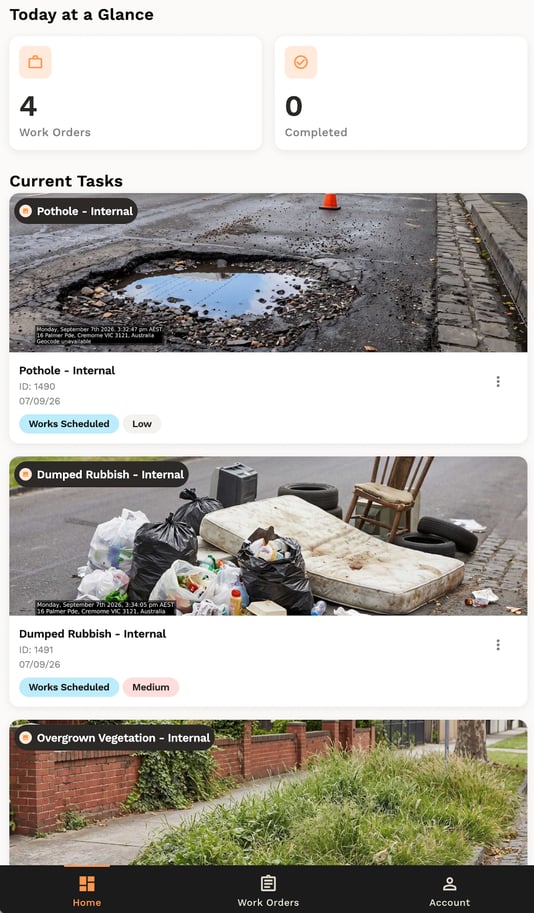
The Today at a Glance panel shows two numbers:
- Open - all open Work Orders for today, including anything scheduled today, already in progress or scheduled for a previous day
- Completed - all Work Orders completed today
List of Work Orders
Below your metrics, the Current Tasks list shows every Work Order that's scheduled for today, already in progress or scheduled for a previous day (i.e. is overdue). A maximum of 10 Work Orders are shown on this page. View the view Work Orders page to see your full history and upcoming tasks.
Summary
You can now read your home screen to see what needs attention first. Next, learn how to view your assigned Work Orders in full detail.